
Download Mega Man Maker – Creative Level Design, Community Sharing, Mega Man Fan Game
Overview
Mega Man Maker is a community-driven fangame that redefines how fans interact with the iconic Mega Man franchise. Designed for enthusiasts of retro platformers and creative gameplay, the app enables users to build custom levels using intuitive tools and share them with a global network of players. Its core purpose lies in empowering both creators and players to extend the legacy of Mega Man through user-generated content. The app solves the common challenge of limited content in fan-made games by providing a robust platform for endless level creation and discovery.
Target users include long-time Mega Man fans, aspiring game designers, and anyone interested in creative expression through digital tools. The app fosters a collaborative environment where players can learn from each other’s designs, rate levels, and participate in community events like the Wily Challenge. Real-world use cases range from casual level building for fun, to educational exercises in game design and problem-solving. The app also serves as a digital archive of fan creativity, preserving unique interpretations of the Mega Man universe.
Although the developer did not provide additional background details, the app’s structure and features suggest a passionate, community-focused development team. Its presence in the mobile ecosystem highlights the growing demand for accessible, creative tools that blend nostalgia with modern interactivity. By bridging game creation and multiplayer sharing, Mega Man Maker fills a niche that traditional games often overlook.
Key Features & Functionality
- Easy Level Creation: The app features a highly intuitive interface designed for quick onboarding. A built-in tutorial guides users through essential tools, allowing new creators to build their first level in under five minutes. This accessibility lowers the barrier to entry for users with no prior game design experience.
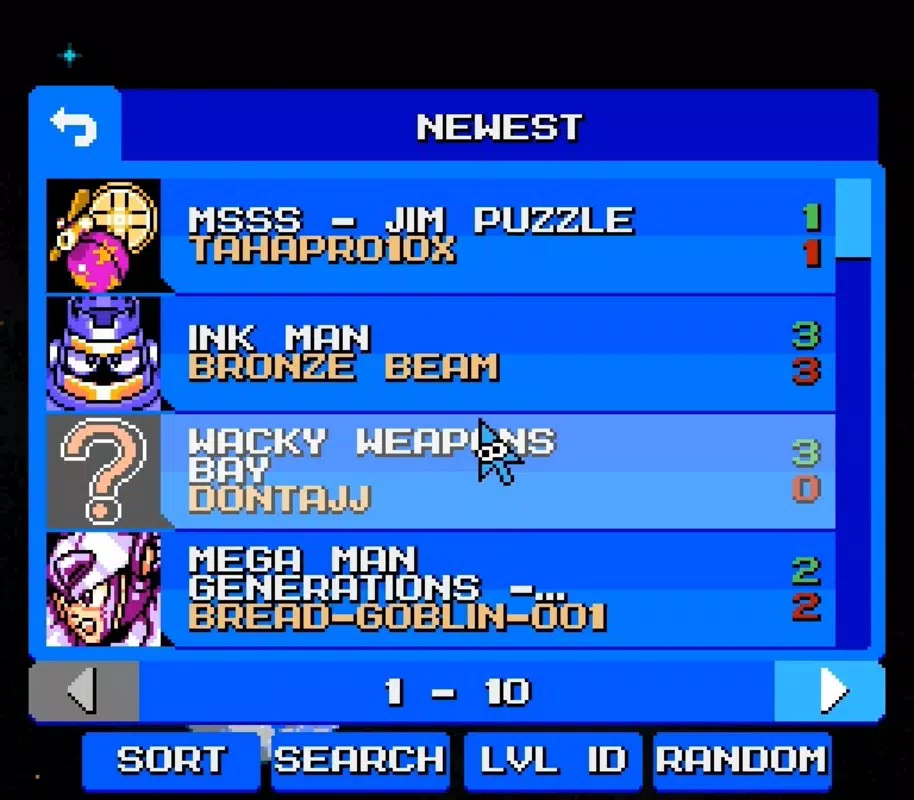
- Online Community Access: Creating an account grants users entry to a vibrant network of creators and players. They can upload their levels, explore others’ work, and engage through ratings and comments, fostering ongoing interaction.
- Diverse Level Sorting: Players can filter and sort user-generated content by popularity, rating, creation date, and more. This functionality ensures that high-quality levels are easily discoverable, enhancing the overall user experience.
- Wily Challenge Mode: A randomized level generator offers unpredictable gameplay, providing a fresh experience with each session. This mode appeals to players seeking variety and replayability.
- Community Engagement Tools: Features such as level sharing, rating systems, and discovery filters promote continuous interaction. These tools encourage collaboration and help sustain long-term user involvement.
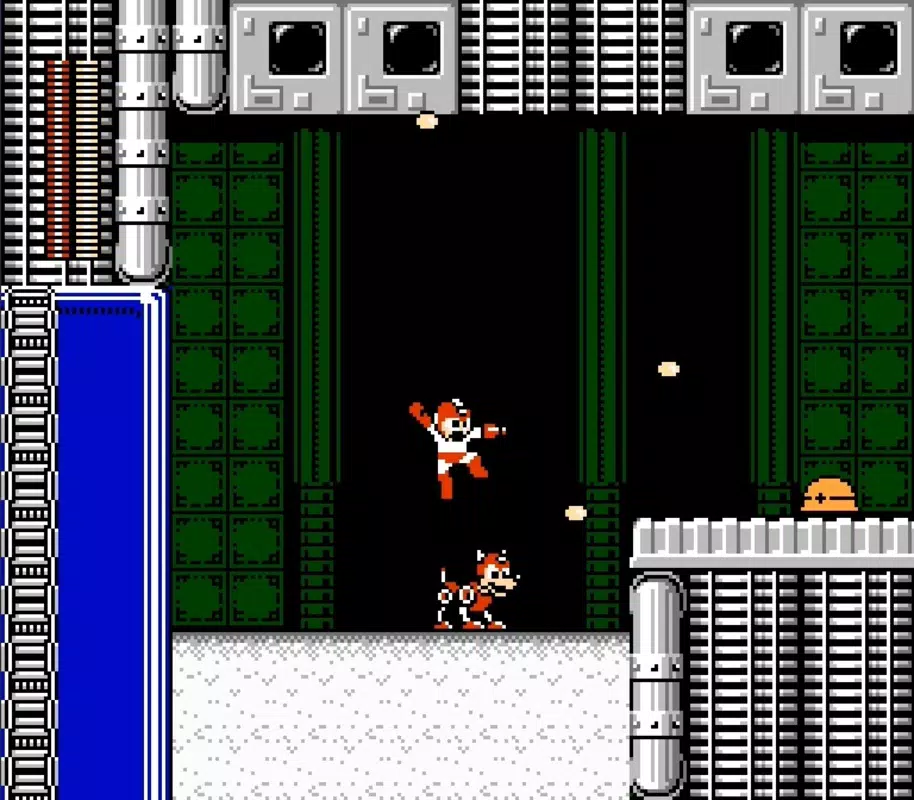
For example, a user might design a level that mimics the style of Mega Man 2’s Dr. Wily stages, then upload it for others to play. Another player could discover it through the “Top Rated” filter, enjoy the challenge, and leave feedback. This cycle of creation and consumption drives the app’s dynamic ecosystem.
Interface, UX & Performance
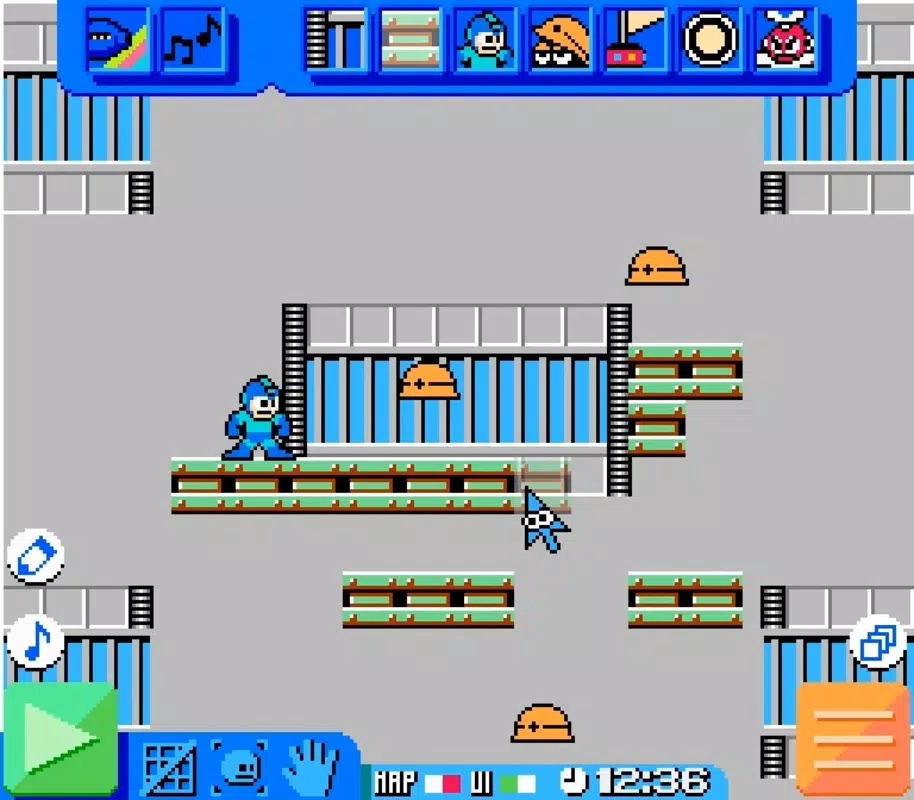
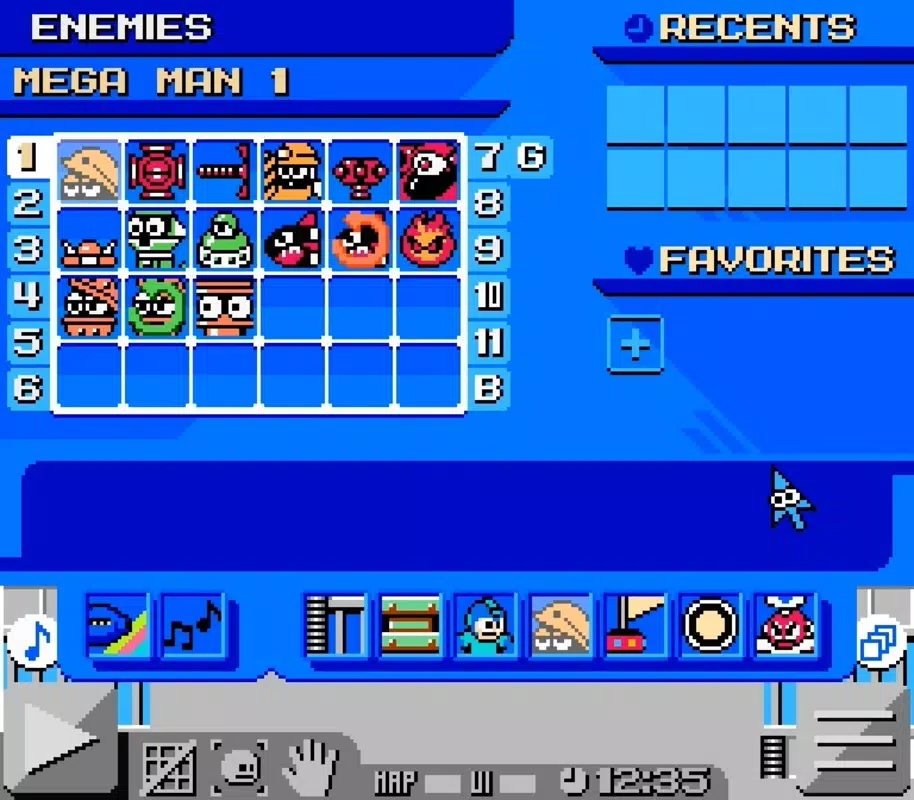
The user interface of Mega Man Maker emphasizes clarity and functionality. The layout is organized around a central level editor, with toolbars, preview windows, and a navigation panel that supports smooth workflow. Visual style leans toward a retro aesthetic, aligning with the Mega Man theme while maintaining readability and usability.
Navigating between creation and play modes is straightforward, with consistent iconography and logical menu placement. The app supports touch-based interactions, allowing users to place tiles, adjust enemy positions, and set triggers with precision. Although the developer did not list formal performance metrics, the app appears optimized for responsive interaction across various device categories.
Responsiveness is maintained during level editing and playback, with minimal lag during real-time previews. Stability is evident in the consistent behavior of tools and the absence of reported crashes. The app handles level data efficiently, enabling quick loading and saving. While specific device compatibility details were not disclosed, the design suggests broad adaptability across modern smartphones.
Platform Compatibility & Technical Requirements
Mega Man Maker is available on Android and iOS platforms. The app supports the latest versions of both operating systems, though the developer did not specify minimum OS requirements. The file size is approximately 128 MB, which is reasonable for a game with level creation and online features.
Users should ensure their device has sufficient storage and a stable internet connection for optimal performance, especially when uploading or downloading levels. The app may require access to cloud storage for account synchronization and community data. Specific permissions were not listed, but typical access to storage and network is expected for full functionality.
Pros and Cons
- Intuitive interface ideal for beginners and casual creators
- Active community with strong engagement and sharing features
- Endless variety through user-generated content and randomized challenges
- Quick onboarding with a helpful interactive tutorial
- Supports both creative expression and gameplay enjoyment
- Requires an internet connection for full functionality
- No offline level editing or storage options were specified
- Community features depend on external servers; availability may vary
- File size may be large for devices with limited storage
- Specific performance benchmarks or device requirements not disclosed
FAQ
Is Mega Man Maker free to download and use?
The app is available for download on both Android and iOS. While the developer did not specify pricing details, the features described suggest a free-to-download model with optional in-app purchases or premium content.
Can I play levels offline after downloading them?
Specific offline functionality was not listed. The app likely requires an internet connection for level discovery and community interaction. Offline play may be limited to locally saved levels, but this was not confirmed.
How do I share my custom levels with others?
After creating a level, users can upload it to the online community through their account. The app provides a straightforward upload process, and levels become accessible to other players for viewing and playing.
Is there a tutorial for new users?
Yes, the app includes an interactive tutorial that guides new users through the level creation tools. This feature helps users get started quickly and understand the core mechanics of the editor.
How often are new levels added to the community?
The frequency of new content depends on community activity. With a large and active user base, levels are regularly uploaded, ensuring a steady stream of fresh content for players to explore.
Final Thoughts
Mega Man Maker stands out as a unique blend of nostalgia, creativity, and community. It transforms fans into creators, offering a powerful yet accessible toolset for designing and sharing levels. Whether you're looking to relive classic Mega Man challenges or contribute your own vision to the franchise, this app delivers endless possibilities.
Its greatest strength lies in the dynamic ecosystem it fosters—where every level uploaded becomes part of a living archive of fan passion. While some technical details remain undisclosed, the app’s core experience is solid, intuitive, and highly engaging. For fans of retro platformers and creative tools, Mega Man Maker is more than a game—it’s a creative movement.
Download Mega Man Maker now


